
Ask your money. Understand the answer.
KRONO Intelligence is an optional financial assistant in KRONO that answers questions about your own money using Apple's on-device AI on your iPhone.
KRONO AS · Updated:
Ask KRONO questions about your spending, income, budgets, loans and financial future. Answers are based on your own financial data, link straight to the information behind them, and are produced by Apple's on-device model on your iPhone — no external AI service is involved.
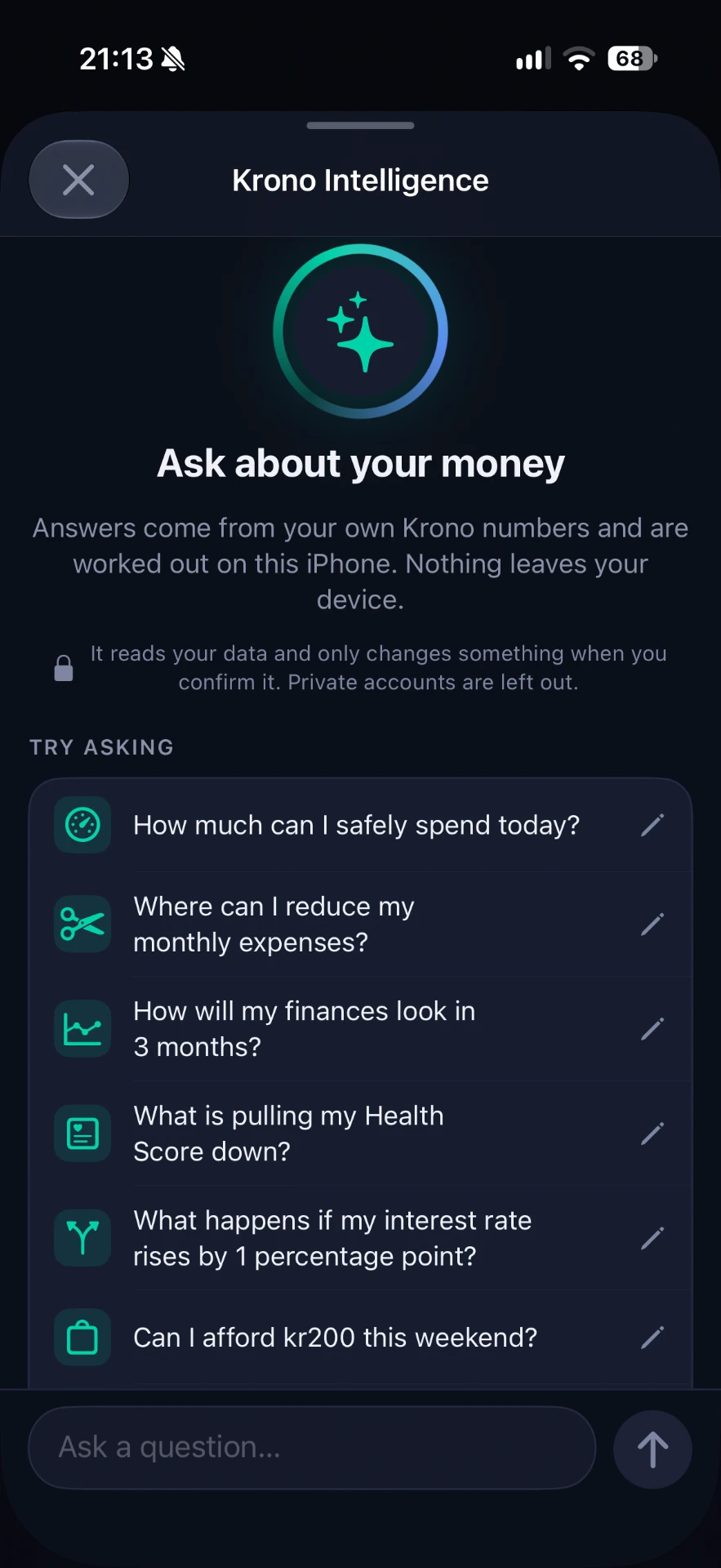
Ask → understand → open the right screen
Type a question in plain language, for example “How much can I safely spend this month?”, “Why did my net worth decrease in August?” or “Where could I save €200 each month?”.
KRONO answers with the figures behind the result and a button that opens the matching screen — Safe to Spend, a budget category, a chart or a loan — so you can check the details yourself without losing the conversation.
Illustrative example (example figures only): “Based on your current income, recorded spending and scheduled bills, you have €840 available for the rest of your budget period.” → View Safe to Spend.
Numbers come from KRONO's own calculations
The language model does not invent figures. For numerical answers, KRONO Intelligence uses the same calculation engines as the rest of the app — Safe to Spend, budgets, the balance forecast and net worth — so the assistant, widgets and Apple Watch show the same numbers.
You can also look back: ask about earlier months or periods and KRONO explains what changed, such as a larger bill, lower income or a drop in an asset value.
Private by design
KRONO Intelligence is off until you turn it on in Settings → Privacy & AI. When enabled, KRONO uses Apple's on-device model on your iPhone. Your financial data is not sent to KRONO or to any external AI service.
The assistant is read-only. It cannot move money or change your records; the only changes it can make are ones you explicitly confirm, such as creating a categorisation rule.
Availability and requirements
KRONO Intelligence is part of KRONO Pro. It needs a compatible iPhone with Apple Intelligence turned on, and the supported languages depend on what Apple's on-device model supports on your device. KRONO Free stays free permanently, without the assistant.
Automatic bank connection is available only in Germany. In other countries the assistant works with accounts and transactions you add manually or import.
Frequently asked questions
Is KRONO Intelligence optional?
Yes. It starts disabled and you can turn it on or off at any time in Settings → Privacy & AI.
Where is my financial data processed?
On your compatible iPhone, using Apple's on-device model. KRONO does not send it to its own servers or to an external AI service.
Can the assistant change my data?
No. It is read-only, apart from actions you confirm yourself, such as creating a categorisation rule.
Which iPhones and plans are supported?
KRONO Intelligence requires KRONO Pro and a compatible iPhone with Apple Intelligence enabled.
Is it financial advice?
No. KRONO explains your own data and suggests options; it does not replace a qualified financial adviser.